
English
Obsidian
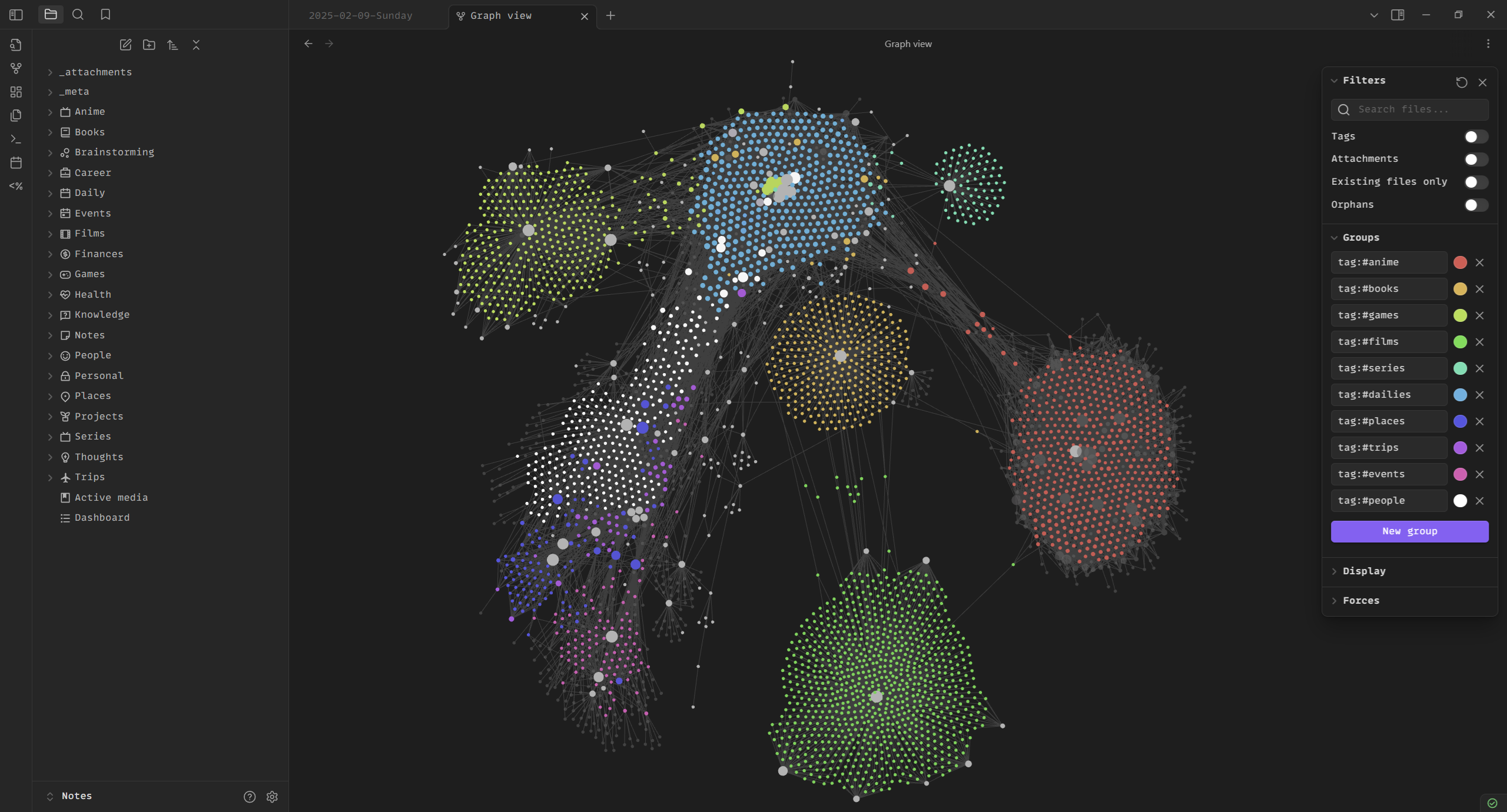
trip2g was built for Obsidian. When a task requires a site with hundreds or thousands of interconnected pages, there are few alternatives. Most CMS tools treat pages as isolated documents — you write one, you write another, there's no structural relationship between them. Obsidian treats notes as a network. That network becomes your site.
Summary
Obsidian is a free, local-first Markdown editor built around connections. Notes are plain files on your computer — open format, works offline, no vendor lock-in. Wikilinks make it fast to build a network of hundreds of pages. The graph makes that network visible. Thousands of plugins extend it without touching the file format. The result is a knowledge base that belongs entirely to you.
What Obsidian is
Obsidian is a free app for working with Markdown files on your computer. obsidian.md Its defining feature isn't editing — it's connections between notes. An ordinary editor sees files in isolation. Obsidian sees how notes link to each other, which topics cluster together, where gaps exist.
It works with a folder on your computer. Nothing goes to the cloud unless you configure sync yourself.
Local files, open format
Every note is a plain .md file stored on your device — see Markdown for the full syntax. Obsidian works offline. No account required to read or write your own notes.
Open format means your files are readable in any text editor today and will be in 50 years. Notion might shut down. Medium might shut down. A plain Markdown file doesn't depend on any company staying in business.
The platform never owns your content. More on that: Digital Sovereignty.
Wikilinks
In Obsidian, a link to another note looks like this:
See also [[Another Note]]
Type [[ and a list of all your notes appears. Start typing and it filters. No need to remember exact filenames or dig through folders.
Linking to a note that doesn't exist yet creates it when you follow the link. You can sketch the structure first and fill in the content later.
Open any note and see which other notes link to it — backlinks. Context you forgot about. Connections you didn't plan.
With wikilinks, a hundred connections takes ten minutes. Without them, it's two hours of mechanical work. More on why this matters: Obsidian and Note Connections.
Graph
Obsidian can render your entire vault as a graph — nodes and edges showing how notes connect. Use it to find gaps in your knowledge, spot unexpected relationships, and understand the shape of what you've built.
A site with a thousand pages has a structure. The graph makes that structure visible while you're building it.
Plugins
Thousands of community plugins extend Obsidian without changing the underlying file format. Calendars, kanban boards, AI assistants, sync with external services. If Obsidian doesn't do something out of the box, there's almost certainly a plugin for it.
You're not locked into the defaults. The file format stays the same regardless of which plugins you use.
trip2g + Obsidian
You build the knowledge base locally. trip2g publishes it.
Wikilinks become working links on your site. Notes you mark as public are visible to everyone. Notes you mark as paid are visible to subscribers. Notes with no visibility marker stay private. The structure you built in Obsidian — the hierarchy, the connections, the navigation — is the structure your readers navigate.
You don't redesign anything for the web. The vault is the site.
Image: olivi-eh.dev/obsidian